
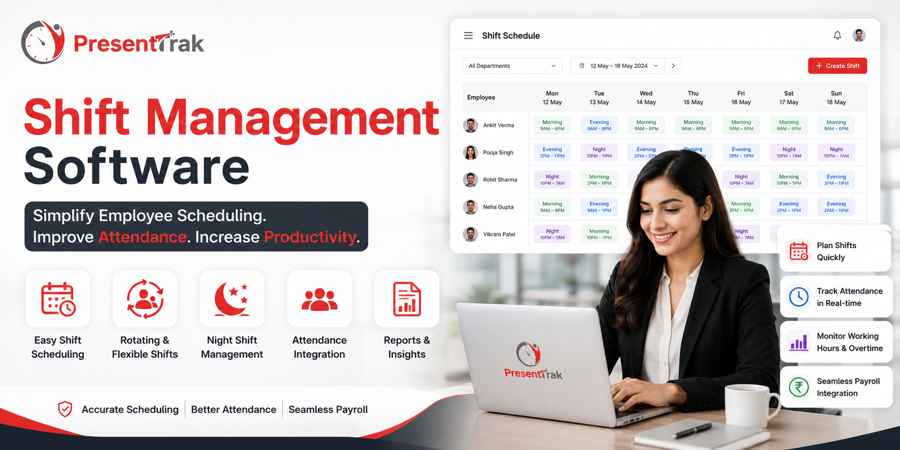
Shift Management Software: Simplify Employee Scheduling for Growing Businesses in India
Shift Management Software: Simplify Employee Scheduling for Growing Businesses in India
In Short
Shift management software helps businesses plan employee schedules, assign shifts, manage changing work timings, and maintain accurate attendance records without relying on spreadsheets or manual schedules.
It is particularly useful for organizations where employees work in rotating, fixed, flexible, night, or overlapping shifts. Hospitals, factories, retail businesses, security services, restaurants, warehouses, and other operational businesses often need to coordinate different teams across different working hours.
A modern shift management system can connect employee schedules with attendance, working hours, leave, overtime, and payroll processes. This reduces repetitive administrative work and gives managers a clearer view of who is scheduled to work, when they are expected to report, and how actual attendance compares with planned shifts.
For growing businesses, the value of shift management is not simply creating a timetable. It is creating a structured workforce scheduling process that can continue to work as employee numbers, departments, locations, and operating hours increase.
Introduction
Managing employee schedules becomes considerably more difficult as a business grows.
A small office with ten employees working the same hours may not need a dedicated shift management system. A manager can prepare a simple weekly schedule and communicate changes through a spreadsheet, messaging application, or notice board.
The situation changes when a business starts operating:
* Multiple shifts
* Night shifts
* Rotating schedules
* Different departments
* Multiple branches
* Weekend operations
* Holiday schedules
* Overtime
* Split teams
* Extended business hours
At that point, scheduling is no longer just an administrative task.
It becomes part of workforce management.
A change in one employee's shift can affect attendance, working hours, overtime, leave planning, payroll calculations, and staffing requirements.
This is why growing businesses increasingly look for shift management software that can connect scheduling with the rest of their employee management processes.
The objective is not simply to replace an Excel schedule.
The objective is to create a more organized process for planning employee work schedules and connecting planned shifts with actual attendance and payroll-related information.
What Is Shift Management Software?
Shift management software is a digital system used by businesses to create, assign, manage, and monitor employee work schedules.
Instead of maintaining separate spreadsheets for different departments or branches, managers can manage employee shifts through a centralized system.
Depending on the organization's requirements, shift management can include:
* Creating fixed shifts
* Assigning employees to shifts
* Managing rotating shifts
* Managing flexible working schedules
* Handling night shifts
* Managing shift changes
* Tracking scheduled working hours
* Connecting shifts with attendance
* Supporting overtime calculations
* Managing employee availability
* Coordinating leave with staffing requirements
The exact capabilities vary between software platforms, so businesses should evaluate whether the system supports their actual workforce structure before implementation.
For organizations where attendance and payroll are closely connected, shift management becomes even more important because scheduled working hours provide context for interpreting actual attendance.
Why Shift Management Becomes Difficult as Businesses Grow
Shift scheduling may appear simple when only a few employees are involved.
The complexity increases when the workforce grows.
Consider a business with 10 employees.
A manager may be able to maintain a single Excel sheet showing:
| Employee | Shift | Timing |
| ---------- | ------- | ---------- |
| Employee A | Morning | 9 AM–6 PM |
| Employee B | Morning | 9 AM–6 PM |
| Employee C | Evening | 2 PM–11 PM |
Now imagine the same organization has:
* 100 employees
* 5 departments
* 3 shifts
* 2 branches
* Weekly rotations
* Leave requests
* Overtime
* Holiday schedules
The spreadsheet becomes much harder to maintain.
The problem is not simply the number of employees.
It is the number of relationships between employees, shifts, attendance, leave, working hours, and payroll.
Common Shift Management Problems
1. Manual Shift Scheduling
Many businesses still prepare schedules using Excel or spreadsheets.
Although spreadsheets are flexible, they can become difficult to maintain when schedules change frequently.
Common problems include:
* Duplicate entries
* Incorrect shift assignments
* Outdated schedules
* Accidental changes
* Difficulty tracking historical schedules
* Multiple versions of the same file
A centralized shift management system reduces dependence on separate files.
2. Rotating Shifts
Rotating shifts are common in industries that operate beyond standard business hours.
Employees may rotate between:
* Morning shifts
* Evening shifts
* Night shifts
Without a structured system, managers may spend considerable time preparing schedules and communicating changes.
Shift management software can provide a centralized way to organize these schedules.
3. Night Shifts
Night shifts create additional attendance and payroll complexity.
For example, an employee may begin work at 10 PM and finish at 7 AM the following day.
The attendance system must be able to interpret the employee's working schedule correctly rather than treating the midnight transition as two unrelated working days.
Businesses with night operations should therefore evaluate how their attendance and payroll software handles overnight shifts before choosing a solution.
4. Shift Changes
Employees may need to change shifts because of:
* Leave
* Absence
* Business requirements
* Department workload
* Emergency staffing
* Employee availability
When changes are communicated informally, managers may have difficulty maintaining an accurate record of the final schedule.
A centralized system provides a more organized way to manage these changes.
How Shift Management Works With Attendance
Shift scheduling and attendance are closely related, but they are not the same thing.
A shift defines when an employee is expected to work.
Attendance records what actually happened.
For example:
**Scheduled shift:**
9:00 AM–6:00 PM
**Actual attendance:**
9:18 AM–6:07 PM
The difference between the scheduled and actual working time can provide useful information for HR and management.
This relationship can help businesses identify:
* Late arrivals
* Early departures
* Missing attendance
* Additional working hours
* Overtime
* Shift adherence
When shift information and attendance records exist in the same system, businesses can reduce the amount of manual reconciliation required by HR teams.
Shift Management and Payroll
Payroll depends heavily on accurate attendance and working-hour information.
Shift schedules provide the planned working structure, while attendance records provide the actual working information.
When these processes are disconnected, HR teams may need to manually compare:
1. Shift schedule
2. Attendance register
3. Leave records
4. Overtime records
5. Payroll sheet
This creates unnecessary administrative work.
An integrated attendance and payroll platform can bring these processes together.
Presentrak is designed to connect attendance and payroll management with other workforce processes, including shift and leave management.
The goal is to reduce repetitive data entry and provide payroll teams with more organized attendance information.
Shift Management for Hospitals
Hospitals are among the clearest examples of why structured shift management is important.
Healthcare facilities can operate 24 hours a day and may have employees working across:
* Day shifts
* Evening shifts
* Night shifts
* Rotating shifts
* Emergency coverage
Different departments may also have different staffing requirements.
For example, the scheduling needs of:
* Nurses
* Administrative staff
* Security teams
* Laboratory staff
* Support teams
may differ considerably.
A shift management system can help hospitals organize employee schedules while connecting planned shifts with attendance and leave records.
For hospitals, shift management should be considered alongside:
* Attendance management
* Leave management
* Working hours
* Overtime
* Payroll
* Employee records
**Related solution:** Attendance & Payroll Software for Hospitals.
Shift Management for Factories
Manufacturing businesses often operate through multiple shifts to keep production running efficiently.
Common structures include:
* First shift
* Second shift
* Night shift
Factory employees may also be assigned to different production lines or departments.
Shift management software can help managers maintain a structured schedule across these teams.
It can also support better coordination between shift schedules and attendance records.
This becomes especially important when working hours, overtime, holidays, and payroll calculations depend on shift assignments.
**Related solution:** Attendance & Payroll Software for Factories.
Shift Management for Retail Businesses
Retail businesses often have different staffing requirements depending on:
* Store hours
* Customer traffic
* Weekends
* Holidays
* Seasonal demand
Employees may work morning, afternoon, or closing shifts.
Businesses with multiple stores also need to coordinate schedules across branches.
A centralized shift management system can help managers organize schedules while giving HR a clearer view of workforce allocation.
**Related solution:** Attendance & Payroll Software for Retail Businesses.
Shift Management for Offices
Not every office operates from 9 AM to 6 PM.
Growing businesses may have:
* Customer support teams
* Operations teams
* IT support
* International clients
* Flexible working schedules
* Extended working hours
Shift management allows organizations to create schedules that reflect these requirements instead of forcing all employees into a single attendance pattern.
Shift Management for Construction Companies
Construction projects may operate according to project schedules, site requirements, and workforce availability.
Different project locations may require different working schedules.
Shift management can help businesses organize employees across project teams while connecting their schedules with attendance and payroll processes.
For organizations managing multiple project sites, shift management can work alongside:
* GPS attendance
* Employee tracking
* Multiple branch or location management
* Working hours calculation
* Payroll
Related solution Attendance & Payroll Software for Construction Companies.
Key Benefits of Shift Management Software
Better Workforce Scheduling
Managers can organize employee schedules without maintaining multiple disconnected files.
Reduced Administrative Work
A centralized system reduces repetitive schedule preparation and manual reconciliation.
Better Attendance Context
Attendance records can be interpreted against scheduled working hours.
Improved Overtime Management
Actual working hours can be compared with scheduled hours to support overtime processes.
Easier Leave Coordination
Leave records can be considered alongside staffing schedules.
Better Multi-Location Management
Businesses with several branches or work locations can maintain more organized schedules.
Improved Employee Visibility
Employees and managers can have clearer information about assigned working schedules.
Shift Management vs Excel
Excel remains useful for many business processes, including basic scheduling.
The issue is not that Excel is inherently bad.
The issue is that spreadsheet-based scheduling becomes harder to manage as workforce complexity increases.
| Excel-Based Scheduling | Shift Management Software |
| ------------------------------------- | ----------------------------------------- |
| Manual schedule creation | Centralized scheduling |
| Multiple files may exist | Centralized records |
| Changes can be difficult to track | Structured schedule management |
| Attendance often handled separately | Can connect with attendance |
| Leave may be maintained separately | Can connect with leave processes |
| Overtime reconciliation may be manual | Can support attendance-based calculations |
| Difficult to scale across locations | Better suited to distributed teams |
For a small team with fixed working hours, Excel may remain sufficient.
For businesses managing multiple shifts, departments, branches, or rotating schedules, dedicated shift management software becomes increasingly valuable.
What Should Businesses Look For in Shift Management Software?
Before selecting a system, businesses should evaluate the following.
1. Flexible Shift Creation
Can the software support the different shift patterns used by your organization?
2. Rotating Shifts
Can managers create recurring or rotating schedules?
3. Night Shifts
Can overnight schedules be handled correctly?
4. Attendance Integration
Can actual attendance be compared with assigned shifts?
5. Leave Integration
Can employee leave be managed alongside schedules?
6. Overtime Support
Can additional working hours be identified and incorporated into payroll workflows?
7. Multiple Locations
Can branches, offices, factories, or project sites be managed?
8. Employee Access
Can employees view or manage relevant information through an employee self-service system?
9. Reports
Can managers review attendance and working-hour information based on shifts?
10. Payroll Integration
Can shift and attendance information support payroll processing?
These questions help businesses evaluate software based on operational requirements rather than simply comparing feature lists.
How Presentrak Supports Shift Management
Presentrak combines employee attendance, payroll, leave, shift scheduling, and workforce reporting within a centralized workforce management platform.
Its shift management capabilities are designed to support businesses where employees work according to different schedules.
Shift management can work alongside:
* Employee Attendance Management
* GPS Attendance
* Face Recognition Attendance
* Employee Live Tracking
* Leave Management
* Working Hours Calculation
* Overtime Management
* Multiple Branch Management
* Employee Self-Service
* Payroll Management
This integrated approach is important because scheduling rarely exists in isolation.
A shift affects attendance.
Attendance affects working hours.
Working hours can affect overtime.
Attendance, leave, and overtime can affect payroll.
Managing these relationships through disconnected systems creates unnecessary administrative work.
Example: A Growing Business Moving Beyond Excel
Consider a company with 60 employees operating across two locations.
Initially, the company maintains:
* One Excel file for shifts
* Another file for attendance
* A separate leave record
* A payroll spreadsheet
As the business grows, managers introduce evening shifts and occasional overtime.
The HR team now has to reconcile multiple records every month.
A centralized workforce management system changes this workflow.
The organization can maintain:
Employee → Shift → Attendance → Leave → Working Hours → Overtime → Payroll**
This creates a more connected workforce management process.
The benefit is not simply automation.
It is **consistency of information**.
Shift Management Is More Than Employee Scheduling
A common mistake is to treat shift management as simply preparing a timetable.
In reality, shift scheduling affects several parts of workforce administration.
A well-organized shift process can support:
* Workforce planning
* Attendance accuracy
* Leave coordination
* Working-hour calculations
* Overtime management
* Payroll preparation
* Employee communication
* Branch-level workforce management
This makes shift management an important part of a broader attendance and payroll system.
When Should a Business Consider Shift Management Software?
A business should consider dedicated shift management software when:
* Employees work different shifts.
* Night shifts are becoming common.
* Managers frequently change schedules.
* Attendance is still maintained separately from shifts.
* HR spends significant time reconciling attendance and schedules.
* Overtime calculations require manual checking.
* Multiple branches have different schedules.
* Employee leave affects staffing plans.
* The workforce is expected to grow.
There is no fixed employee count at which a business must adopt shift management software.
The better indicator is workforce complexity.
A company with 30 employees working across three shifts may need structured scheduling more urgently than a company with 100 employees working identical hours.
How Shift Management Fits Into Presentrak's Workforce Management Ecosystem
Shift management is one part of Presentrak's broader workforce management platform.
The feature connects naturally with the other capabilities businesses need as they grow.
Attendance
Employees record actual attendance through the appropriate attendance method.
Shift Management
Managers define when employees are expected to work.
Leave Management
Approved leave can be maintained alongside employee schedules.
Working Hours
Actual working time can be calculated from attendance records.
Overtime
Additional working hours can be identified according to organizational policies.
Payroll
Attendance and working-hour information can support payroll processing.
This creates a connected workflow rather than a collection of separate tools.
Shift Management Software for Growing Businesses in India
Indian businesses operate across a wide range of workforce structures.
Some organizations have traditional office hours.
Others manage:
* 24×7 operations
* Rotating shifts
* Factory shifts
* Hospital shifts
* Retail shifts
* Field teams
* Multiple branches
* Project-based employees
The right scheduling system therefore depends on the organization's actual workforce model.
Businesses should not select shift management software simply because it contains a "Shift" feature.
They should evaluate whether it can support the way their employees actually work.
Frequently Asked Questions
What is shift management software?
Shift management software is a digital system that helps businesses create, assign, manage, and monitor employee work schedules. It can also connect shifts with attendance, leave, working hours, overtime, and payroll processes.
Why do businesses need shift management software?
Businesses need shift management software when employee schedules become too complex to manage efficiently through spreadsheets or manual processes, particularly when they have multiple shifts, departments, locations, or rotating schedules.
Can shift management software handle night shifts?
Yes, many shift management systems support night and overnight schedules. However, businesses should verify how a specific platform handles shifts that cross midnight.
Can shift management software manage rotating shifts?
A suitable shift management platform can support rotating schedules, but the exact capabilities vary by software. Businesses should verify the available scheduling options before implementation.
Can shift management software work with attendance?
Yes. Integrating shift schedules with attendance helps businesses compare planned working hours with actual attendance.
Can shift management software help calculate overtime?
It can support overtime management by providing scheduled and actual working-hour information. The exact overtime calculation depends on the organization's policies and the software's payroll capabilities.
Is shift management useful for hospitals?
Yes. Hospitals often operate 24×7 and manage day, evening, night, and rotating shifts, making structured workforce scheduling particularly important.
Is shift management useful for factories?
Yes. Factories frequently use multiple production shifts and can benefit from centralized scheduling connected with attendance and payroll processes.
Can small businesses use shift management software?
Yes. Small businesses can use shift management software when their workforce has varying schedules, multiple shifts, or growing operational complexity.
Can Presentrak manage employee shifts?
Yes. Presentrak includes shift management as part of its workforce management capabilities, alongside attendance, leave management, working hours, overtime, and payroll-related processes.
Can shift management and payroll work together?
Yes. Shift schedules can provide context for attendance and working hours, which can then support payroll processing.
Can shift management software manage multiple branches?
A multi-location workforce management system can help businesses maintain schedules across different offices, stores, factories, or other work locations. Businesses should verify the exact branch-management capabilities of the software they evaluate.
Does shift management reduce HR workload?
It can reduce repetitive scheduling, attendance reconciliation, and manual coordination, particularly when shift information is connected with attendance, leave, overtime, and payroll.
Is Excel enough for employee shift management?
Excel can be sufficient for small teams with simple and stable schedules. As the number of employees, shifts, locations, and schedule changes increases, dedicated shift management software can provide a more structured approach.
What should I check before choosing shift management software?
Businesses should evaluate shift flexibility, rotating and night-shift support, attendance integration, leave management, overtime handling, multiple-location support, employee access, reporting, and payroll integration
Conclusion
Employee scheduling may appear to be a simple administrative activity, but it becomes increasingly complex as businesses introduce multiple shifts, departments, branches, night operations, overtime, and growing teams.
Shift management software helps businesses create a more structured way to plan employee schedules and connect those schedules with attendance, leave, working hours, overtime, and payroll processes.
For small teams with simple working hours, a spreadsheet may still be sufficient.
For growing businesses with complex workforce structures, a dedicated shift management system can reduce administrative work and create better consistency across employee management processes.
The best solution is not necessarily the one with the longest feature list.
It is the one that fits the way your workforce actually operates and can continue supporting the business as that workforce grow
Explore Related Presentrak Features
Businesses evaluating shift management can also explore:
* GPS Attendance System
* Face Recognition Attendance
* Employee Live Tracking
* Attendance & Payroll Integration
* Leave Management
* Working Hours & Overtime Calculation
* Multiple Branch Management
* Employee Self-Service Portal
For businesses managing different workforce structures, Presentrak also provides industry-specific attendance and payroll solutions for offices, factories, hospitals, construction companies, retail businesses, and school
Ready to Simplify Workforce Scheduling?
If your business is spending too much time preparing schedules, reconciling attendance, managing leave, or calculating working hours, it may be time to move from disconnected spreadsheets to an integrated workforce management system.
Explore Presentrak's attendance and payroll capabilities or **book a free demo** to understand how the platform can fit your organization's workforce structure.