
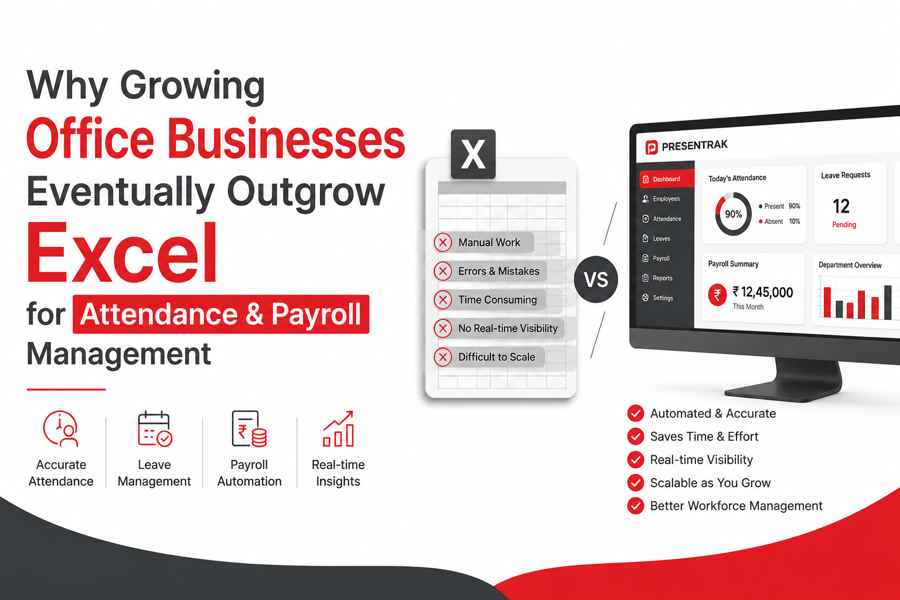
Why Growing Office Businesses Eventually Outgrow Excel for Attendance & Payroll Management
Why Growing Office Businesses Eventually Outgrow Excel for Attendance & Payroll Management.
In Short
Excel spreadsheets may work when teams are small, but as office businesses grow, managing attendance, leaves, payroll, and employee records manually becomes increasingly difficult. Modern attendance and payroll software helps organizations improve visibility, reduce errors, and simplify workforce management.
Growth Creates New Workforce Challenges
Most office businesses start with simple attendance records and salary sheets.
When there are only a few employees, spreadsheets and manual processes often seem sufficient. Attendance is easy to track, payroll calculations are straightforward, and employee information can be managed without much complexity.
However, as businesses grow, workforce management requirements change.
New departments are created. Teams expand. Employees work from multiple locations. Leave requests increase. Payroll calculations become more detailed. Suddenly, the Excel sheets that once felt convenient start consuming more time than expected.
This is one of the reasons why many growing businesses eventually move towards digital attendance and payroll systems.
Why Excel Works in the Beginning
For small teams, Excel offers simplicity.
Businesses can maintain:
- Employee attendance records.
- Salary sheets.
- Leave information.
- Holiday lists.
- Basic employee details.
Since workforce size is limited, manual processes remain manageable.
But growth changes everything.
Common Problems Growing Office Businesses Face With Excel
Attendance Information Becomes Difficult to Manage
As the number of employees increases, maintaining attendance records manually becomes time-consuming.
Businesses often deal with:
- Multiple attendance sheets.
- Missing entries.
- Incorrect records.
- Difficulty tracking late arrivals.
- Attendance corrections.
Managers spend more time organizing data instead of focusing on operations.
Payroll Preparation Takes Longer
Payroll depends heavily on attendance records.
When attendance information is spread across multiple spreadsheets, payroll preparation becomes more complicated.
Businesses frequently encounter:
- Formula mistakes.
- Manual calculations.
- Overtime errors.
- Leave adjustment issues.
- Delays in salary preparation.
Even small mistakes can affect employee confidence.
Leave Management Creates Additional Work
As teams grow, leave requests become more frequent.
Without a centralized system, HR teams often struggle with:
- Leave approvals.
- Leave balances.
- Holiday schedules.
- Attendance adjustments.
Maintaining these records manually increases administrative workload.
Lack of Real-Time Visibility
Business owners and managers need visibility into workforce operations.
Questions such as:
- Who is present today?
- Which department is understaffed?
- Who is on leave?
- Which employees arrived late?
often require manually checking multiple files.
As organizations expand, this process becomes inefficient.
Why Growing Businesses Move Towards Digital Attendance Systems
Modern office environments require more than attendance registers and spreadsheets.
Businesses increasingly seek:
- Attendance visibility.
- Payroll readiness.
- Shift management.
- Leave management.
- Employee self-service.
- Department-wise reporting.
- Multi-location workforce management.
Digital systems centralize these processes and reduce dependency on manual administration.
Attendance and Payroll Work Better Together
Attendance and payroll are closely connected.
Attendance records influence:
- Working hours.
- Leave deductions.
- Overtime calculations.
- Salary preparation.
Managing both systems separately often creates duplicate work.
Integrated attendance and payroll systems simplify the process and improve accuracy.
Better Visibility Supports Better Decisions
Growing organizations require information, not just records.
Managers benefit from:
- Real-time attendance visibility.
- Department-wise reports.
- Leave reports.
- Workforce summaries.
- Attendance history.
These insights help businesses plan resources more effectively.
Why Office Businesses Need Scalable Systems
What works for ten employees may not work for fifty.
What works for fifty employees may not work for one hundred.
Growth brings:
- New departments.
- Additional branches.
- Hybrid work environments.
- More complex payroll requirements.
Businesses that adopt scalable workforce systems early often find it easier to manage expansion without increasing administrative complexity.
Moving Beyond Excel Is About Efficiency, Not Just Technology
The goal is not simply replacing spreadsheets.
The goal is improving:
- Workforce visibility.
- Payroll accuracy.
- Employee experience.
- Operational efficiency.
- Administrative simplicity.
Digital attendance and payroll systems allow businesses to spend less time managing records and more time focusing on growth.
Conclusion
Excel remains useful for many tasks, but growing office businesses often discover that manual attendance and payroll processes become increasingly difficult to manage over time.
As workforce complexity increases, businesses benefit from systems that centralize attendance, payroll, leave management, and workforce reporting.
Solutions such as Presentrak's Attendance & Payroll Software for Offices & Corporate Businesses help organizations simplify workforce operations while supporting long-term growth.
Related Resource
- Complete Guide For Shops & Showroom Owners:
👉 How to manage attendance issues to stop payroll calculation errors. - Step by step guide for Hospital & Healthcare Organiziations
👉 How to auotmate attendance and payroll and leave managment for mulitple shifts
Frequently Asked Questions
1. Why do growing office businesses eventually outgrow Excel for attendance and payroll management?
Excel works well for small teams, but as organizations grow, managing attendance records, leave balances, overtime, and payroll calculations manually becomes more complex. Businesses often move to digital systems to improve accuracy, save time, and gain better workforce visibility.
2. What are the common problems of managing attendance in Excel?
Businesses commonly face:
- Manual data entry errors.
- Missing attendance records.
- Payroll calculation mistakes.
- Difficulty managing leaves and overtime.
- Lack of real-time workforce visibility.
- Time-consuming monthly reconciliation.
These challenges increase as the number of employees grows.
3. Is attendance and payroll software better than Excel?
Attendance and payroll software provides centralized employee management, automated calculations, leave tracking, reports, and real-time visibility. Compared to Excel, it helps reduce manual effort and improves operational efficiency for growing businesses.
4. When should a business switch from Excel to attendance and payroll software?
Many businesses consider moving beyond Excel when:
- Employee count increases.
- Payroll preparation takes too much time.
- Attendance discrepancies become frequent.
- Multiple departments or branches need to be managed.
- Leave and shift management become difficult.
A scalable system helps support long-term business growth.
5. Can attendance and payroll software manage leaves and working hours together?
Yes. Modern attendance and payroll software allows businesses to manage:
- Employee attendance.
- Leave requests.
- Working hours.
- Overtime calculations.
- Payroll preparation.
- Reports and analytics.
Managing these functions from one platform improves accuracy and reduces duplicate work.
6. Is attendance and payroll software suitable for office and corporate businesses?
Yes. Office businesses, IT companies, consultancies, service firms, and corporate organizations use attendance and payroll software to simplify workforce management and improve operational visibility.
7. How does Presentrak help growing office businesses?
Presentrak provides a centralized attendance and payroll management platform that helps office businesses manage attendance, payroll, leaves, shifts, GPS attendance, and workforce reports from one system, making it easier to support business growth.