
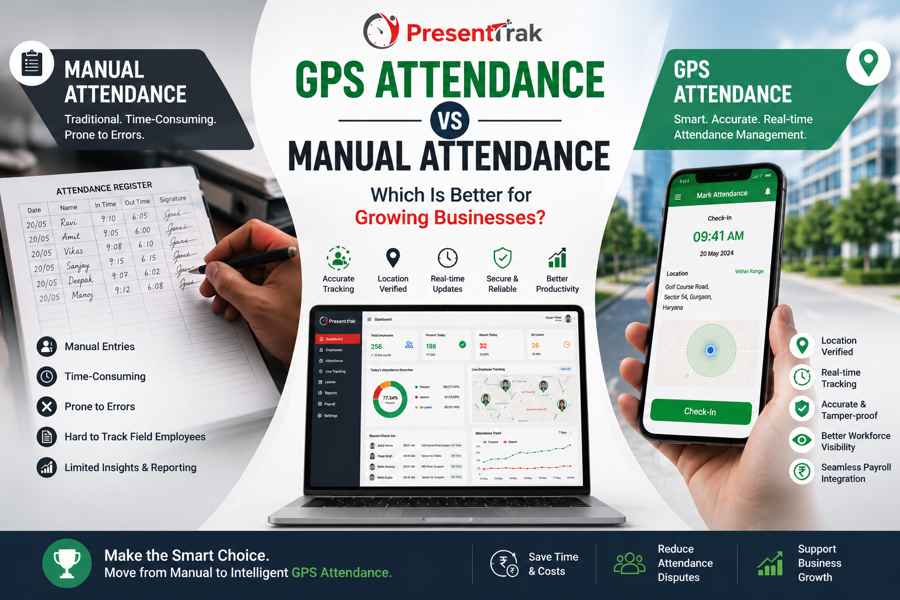
GPS Attendance vs Manual Attendance: Which Is Better for Growing Businesses?
GPS Attendance vs Manual Attendance: Which Is Better for Growing Businesses?
In Short
Manual attendance can work well for a small team working from one location, but it becomes increasingly difficult to manage when a business has field employees, multiple locations, growing staff numbers, or attendance-linked payroll.
A GPS Attendance System provides a digital alternative that allows employees to mark attendance through a mobile device while recording the location associated with the attendance entry, according to the organization's attendance policy.
The better option depends on the way a business operates. Manual attendance may remain practical for a small, fixed workforce with simple working hours. GPS attendance becomes more useful when employees work outside the office, attendance needs location verification, or HR teams spend significant time collecting and reconciling attendance records.
The important question is therefore not whether GPS attendance is universally better than manual attendance. It is whether the organization's current attendance process can continue handling its workforce as the business grows.
Introduction
Attendance management is one of the first administrative processes businesses establish when they begin hiring employees.
At a small organization, the process may be as simple as:
- A paper attendance register
- An Excel spreadsheet
- A manager maintaining a daily attendance list
- Employees informing HR about absences
For a small team working from one office, these methods may be sufficient.
But businesses rarely remain static.
As employee numbers increase, companies may add:
- Field employees
- Sales representatives
- Service engineers
- Multiple branches
- Construction sites
- Warehouses
- Different shifts
- Remote or mobile teams
At that point, attendance management becomes more complicated.
HR may need to determine not only whether an employee attended work, but also:
- When they arrived
- When they left
- Where they marked attendance
- Which shift they were assigned
- Whether they were on leave
- Whether they worked overtime
- Whether the attendance should be included in payroll
This is where the difference between manual attendance and GPS attendance becomes important.
Manual attendance relies heavily on people recording, checking, correcting, and transferring information.
GPS attendance digitizes part of this process and can provide location information along with the attendance record.
What Is Manual Attendance?
Manual attendance refers to attendance processes where employee presence is recorded and maintained without an automated location-based attendance system.
Common examples include:
- Paper registers
- Excel attendance sheets
- Google Sheets
- Manual attendance forms
- Manager-maintained attendance lists
- HR-entered attendance records
The exact process varies from business to business.
A typical manual workflow may look like this:
Employee attendance → Register or spreadsheet → HR verification → Corrections → Payroll preparation
This approach can work effectively when the workforce is small and employees work from one predictable location.
The difficulty begins when the number of employees, locations, shifts, or attendance variables increases.
What Is GPS Attendance?
GPS attendance is a digital attendance method that allows employees to record attendance through a mobile device while capturing the location associated with the attendance event.
The organization can define its attendance policy and, where applicable, use an approved location or attendance radius to determine where attendance can be marked.
A typical workflow may look like:
Employee → Mobile attendance → Location verification → Digital attendance record → HR review → Payroll
The main difference is that attendance information is captured digitally at the time of attendance rather than being manually entered into a register or spreadsheet.
For field-based organizations, this can remove a major administrative challenge: employees do not necessarily need to return to a central office simply to record attendance.
GPS Attendance vs Manual Attendance: At a Glance
| Factor | Manual Attendance | GPS Attendance |
|---|---|---|
| Attendance recording | Register, spreadsheet, or manual entry | Mobile digital attendance |
| Location information | Usually unavailable | Location can be recorded with attendance |
| Field employees | Difficult to manage efficiently | Well suited to mobile teams |
| Multiple locations | Requires separate processes or records | Can support centralized management |
| Data entry | Often manual | Digitally recorded |
| Attendance verification | Often depends on HR or manager | Can use location-based verification |
| Payroll preparation | More reconciliation may be required | Digital attendance can support payroll |
| Reporting | Usually requires spreadsheet work | Centralized digital reports |
| Scaling | Becomes harder as complexity grows | Better suited to distributed teams |
| Hardware requirement | Usually none | Smartphone-based |
| Best suited for | Small, fixed workforces | Mobile and distributed workforces |
The table shows why neither method is universally right for every business.
The appropriate choice depends on workforce structure.
When Manual Attendance Still Makes Sense
Digital transformation does not mean every business must immediately replace every manual process.
Manual attendance may still be reasonable when:
The workforce is small
A company with a handful of employees may not need sophisticated attendance technology.
Everyone works from one location
If employees report to the same office every day, location-based mobile attendance may provide limited additional value.
Working hours are simple
A fixed 9-to-6 schedule with no shifts or overtime is easier to administer manually.
Attendance rarely changes
If employees have predictable schedules and very few attendance corrections are required, a spreadsheet may remain manageable.
Administrative workload is low
If HR can prepare attendance and payroll without spending significant time on reconciliation, moving to specialized software may not be an immediate priority.
The important point is that manual attendance is not automatically wrong.
It becomes a problem when the process no longer matches the organization's operational complexity.
When Businesses Start Outgrowing Manual Attendance
The transition usually happens gradually.
A business may start with 10 employees and a simple Excel sheet.
Then it grows to 25 employees.
Later:
- The sales team starts visiting customers.
- A second branch opens.
- Employees begin working shifts.
- Overtime becomes more frequent.
- Payroll depends heavily on attendance.
- HR needs more detailed reports.
The same spreadsheet that once worked well now requires significantly more manual effort.
This is often the point where businesses begin evaluating attendance software.
A useful question is:
How much administrative effort is required to make the attendance record accurate?
If HR spends significant time collecting information, correcting records, checking locations, reconciling leave, or preparing attendance for payroll, the organization may have outgrown its original attendance process.
The Biggest Difference: Where Employees Work
One of the clearest differences between manual and GPS attendance is employee mobility.
Consider two businesses.
Business A
Twenty employees work from one office.
Everyone arrives at the same location.
They have fixed working hours.
There are no field teams.
Manual or fixed-location attendance may work perfectly well.
Business B
The business has:
- 50 employees
- 10 sales executives
- 8 service engineers
- 2 branches
- Employees visiting customer locations
A traditional office attendance register is no longer a natural fit for the workforce.
GPS attendance becomes more relevant because employees can record attendance from their approved work locations.
The technology should follow the way the workforce operates.
GPS Attendance for Field Employees
Field employees create one of the strongest use cases for GPS attendance.
Examples include:
- Sales representatives
- Service engineers
- Installation teams
- Construction employees
- Field healthcare workers
- Area managers
- Maintenance teams
These employees may begin their working day away from the company's main office.
A manual attendance register creates an unnecessary requirement:
Employee → Travel to office → Mark attendance → Travel to work location
GPS attendance can change this process:
Employee → Reach approved work location → Mark attendance through mobile app
This can make attendance administration more practical for distributed teams.
GPS Attendance and Attendance Verification
Manual attendance often relies on a person recording or confirming attendance.
That creates several possibilities for errors.
For example:
- Incorrect time entry
- Missed attendance
- Duplicate entry
- Incorrect employee marking
- Late updates
- Lost registers
- Spreadsheet mistakes
GPS attendance adds location information to the attendance event.
Depending on the organization's configuration, the system can check whether attendance is being marked from an approved location or within a defined attendance radius.
This does not eliminate every attendance issue.
Employees still need clear policies, appropriate mobile access, and a reliable process for handling exceptions.
But it can provide an additional layer of verification that a basic register or spreadsheet cannot provide.
GPS Attendance vs Excel
Excel deserves separate consideration because it is one of the most common alternatives to dedicated attendance software.
Excel is flexible and familiar.
Businesses can create columns for:
- Employee name
- Date
- Check-in
- Check-out
- Leave
- Overtime
- Working hours
The challenge is that Excel does not automatically solve the underlying attendance collection problem.
Someone still has to:
- Collect attendance information.
- Enter or update the spreadsheet.
- Check missing records.
- Correct errors.
- Reconcile leave.
- Calculate working hours.
- Prepare information for payroll.
As the workforce grows, the spreadsheet can become a record-keeping tool rather than an attendance management system.
GPS attendance moves the attendance capture process closer to the employee and the actual work location.
GPS Attendance and Payroll
Attendance is rarely an isolated HR process.
For many businesses, attendance information eventually affects payroll.
A simplified relationship looks like:
Attendance → Working Hours → Leave → Overtime → Payroll
When attendance is maintained manually, HR may have to move information between different records.
For example:
Attendance Register → Excel → Payroll Spreadsheet
Every manual transfer creates another opportunity for an error.
A digital attendance system can provide structured attendance data that supports payroll processing.
Presentrak's attendance platform connects attendance with payroll-related workforce processes, helping businesses reduce repetitive reconciliation.
This is particularly useful for organizations where salary calculations depend on:
- Working days
- Absence
- Leave
- Overtime
- Shift schedules
GPS Attendance and Employee Trust
A common concern about GPS attendance is privacy.
Businesses should address this concern before implementing location-based attendance.
Employees should understand:
- Why attendance location is collected
- When location information is recorded
- How the information is used
- Who can access attendance records
- What happens when location verification fails
GPS attendance should be implemented as an attendance and workforce management tool, not simply as a surveillance mechanism.
Clear policies are essential.
Technology works better when employees understand its purpose.
GPS Attendance vs Biometric Attendance
GPS attendance and biometric attendance solve different problems.
A biometric or face recognition attendance device is generally well suited to employees who report to a fixed location.
GPS attendance is more useful when employees work away from a fixed attendance point.
For example:
| Employee Type | Suitable Attendance Method |
|---|---|
| Office employees | Face recognition or fixed-location attendance |
| Factory workers | Face recognition/kiosk attendance |
| Sales representatives | GPS attendance |
| Construction teams | GPS attendance |
| Field service engineers | GPS attendance |
| Mobile healthcare teams | GPS attendance |
Businesses do not necessarily need to choose one method for everyone.
A mixed workforce can use different attendance methods while remaining within a broader attendance management system.
Presentrak supports multiple attendance capture approaches, including GPS attendance, selfie attendance, face recognition, kiosk attendance, and authorized manual admin entry.
What About Selfie Attendance?
Selfie attendance provides another option for mobile employees.
An employee can use a smartphone to capture a selfie while marking attendance.
When combined with GPS information, the organization can have:
- Attendance time
- Employee photo
- Attendance location
This can provide stronger context around the attendance event than a simple manual entry.
However, businesses should choose the attendance method according to the nature of the workforce rather than assuming one method is suitable for everyone.
How Growing Businesses Should Choose
Instead of asking:
"Is GPS attendance better than manual attendance?"
Ask these questions:
1. Do employees work outside the office?
If yes, GPS attendance becomes more relevant.
2. Do you have multiple branches or work locations?
If yes, centralized digital attendance can simplify administration.
3. Does attendance affect payroll?
If yes, reducing manual reconciliation can have significant operational value.
4. Are attendance disputes becoming common?
Digital records can provide more structured attendance information.
5. Does HR spend too much time preparing attendance?
This is a strong signal that the current process may need improvement.
6. Are you introducing shifts or overtime?
The connection between schedules, attendance, working hours, and payroll becomes more important.
7. Is the workforce expected to grow?
A system that works for 15 employees may not be suitable for 100 employees.
A Practical Decision Framework
Use the following simple framework.
Choose Manual Attendance If:
- Your workforce is small.
- Employees work from one location.
- Working hours are fixed.
- Attendance is easy to verify.
- HR workload is minimal.
- Payroll reconciliation is simple.
Consider GPS Attendance If:
- Employees work in the field.
- Staff visit customer locations.
- You manage construction sites.
- You operate multiple branches.
- HR spends considerable time collecting attendance.
- Attendance disputes are increasing.
- Attendance feeds into payroll.
- Your workforce is growing.
The decision should be based on operational complexity rather than the size of the software feature list.
How Presentrak Can Fit Into the Transition
Businesses moving away from manual attendance do not necessarily need to change everything at once.
A practical transition can begin with the attendance process.
Step 1: Identify employee categories
Separate office, field, factory, sales, healthcare, and other workforce groups.
Step 2: Identify attendance requirements
Determine which employees need:
- GPS attendance
- Face recognition
- Kiosk attendance
- Selfie attendance
- Manual admin entry
Step 3: Define attendance policies
Specify approved locations, attendance timings, exceptions, and approval processes.
Step 4: Connect attendance with workforce processes
Integrate attendance with:
- Shift management
- Leave management
- Working hours
- Overtime
- Payroll
Step 5: Reduce spreadsheet dependency
Once digital attendance is established, HR can reduce repetitive manual entry and reconciliation.
This staged approach can make the transition easier for both employees and administrators.
Common Mistakes When Moving from Manual to GPS Attendance
Choosing GPS Attendance for Everyone
Not every employee needs GPS attendance.
A factory employee working at one fixed facility may be better served by face recognition or kiosk attendance.
Ignoring Attendance Policies
Technology cannot compensate for unclear attendance rules.
Businesses should define policies before deployment.
Treating GPS as Constant Employee Surveillance
The purpose should be clearly communicated as attendance verification and workforce management.
Forgetting Payroll Integration
If attendance still has to be manually transferred to payroll every month, some administrative problems remain.
Not Planning for Exceptions
Businesses should define what happens when:
- GPS is unavailable
- A phone is unavailable
- An employee forgets to mark attendance
- An employee works from a different approved location
- An attendance correction is required
A good attendance process includes an exception-handling mechanism.
The Real Question Is: Has Your Business Outgrown Manual Attendance?
There is no universal employee count at which a business must move from manual attendance to GPS attendance.
A 20-person field service company may need GPS attendance more urgently than a 100-person office with everyone working from the same location.
The deciding factor is operational complexity.
If employees work from different locations, attendance affects payroll, HR spends significant time maintaining records, or the business is expanding across branches and teams, dedicated attendance software may provide a more scalable approach.
Final Comparison
| Business Requirement | Manual Attendance | GPS Attendance |
|---|---|---|
| Small fixed workforce | ✓ | Optional |
| Single office | ✓ | Optional |
| Field workforce | Limited | ✓ |
| Sales teams | Limited | ✓ |
| Construction sites | Difficult | ✓ |
| Multiple locations | Difficult | ✓ |
| Location verification | Limited | ✓ |
| Digital attendance records | Depends on process | ✓ |
| Payroll integration | Usually manual | Can be integrated |
| Scaling workforce | Increasingly difficult | More scalable |
| Automated reporting | Limited | ✓ |
| Mobile attendance | No | ✓ |
The table should not be interpreted as saying that GPS attendance is always better.
It shows where each approach is naturally suited.
Conclusion
Manual attendance remains a practical solution for businesses with small, stable, and centralized workforces.
The challenge begins when the workforce becomes more distributed or attendance becomes connected to multiple HR processes.
Field employees, multiple branches, rotating shifts, overtime, leave, and payroll can make manual attendance increasingly difficult to maintain.
GPS attendance provides a digital alternative that allows employees to record attendance through mobile devices while adding location information to the attendance event according to organizational policies.
For a growing business, the most important question is not:
"Should we replace manual attendance because GPS technology is newer?"
It is:
"Can our current attendance process continue providing accurate, manageable records as our workforce grows?"
If the answer is becoming no, it may be time to evaluate a dedicated attendance management system.
Presentrak brings GPS attendance together with other workforce management capabilities, including face recognition attendance, employee live tracking, shift management, leave management, working-hour calculation, overtime management, employee self-service, and attendance & payroll integration.
Frequently Asked Questions
Is GPS attendance better than manual attendance?
It depends on the business. Manual attendance can work well for small, centralized teams, while GPS attendance is generally more useful for field employees, multiple locations, and growing workforces.
Is GPS attendance suitable for small businesses?
Yes, particularly when a small business has field employees, sales teams, service staff, or multiple work locations. A small business with one fixed office may not need GPS attendance.
Can GPS attendance replace a manual attendance register?
Yes. Businesses can use digital GPS attendance instead of paper registers when their workforce and attendance policies are suitable for mobile attendance.
Does GPS attendance track employees all day?
Not necessarily. How location information is collected depends on the software configuration and the organization's attendance policy. Businesses should clearly define when location information is required.
Is GPS attendance useful for construction companies?
Yes. Construction teams often work directly at project sites, making GPS attendance a practical way to record attendance from approved work locations.
Can sales employees use GPS attendance?
Yes. Sales employees who travel to customer or market locations can use mobile GPS attendance instead of returning to a central office simply to mark attendance.
What is the difference between GPS attendance and biometric attendance?
GPS attendance is designed for mobile or distributed employees, while biometric or face recognition attendance is generally more suitable for employees reporting to a fixed workplace.
Can GPS attendance help payroll processing?
Yes. Digital attendance records can provide structured information that supports working-hour, leave, overtime, and payroll processes.
Is Excel better than GPS attendance?
Excel can be sufficient for small teams with simple schedules. GPS attendance becomes more useful when employees work across locations or when HR spends significant time collecting and reconciling attendance.
Can a business use both GPS and face recognition attendance?
Yes. Different employee groups can use different attendance methods according to their work environment.
Does Presentrak support GPS attendance?
Yes. Presentrak supports GPS-based mobile attendance as part of its broader attendance and workforce management platform.
Does Presentrak support other attendance methods?
Presentrak supports GPS attendance, selfie attendance, face recognition attendance, kiosk attendance, and authorized manual admin attendance entry. QR-code attendance and thumb/fingerprint biometric attendance are not part of the attendance methods described for the platform.
Can GPS attendance work with shift management?
Yes. GPS attendance can be used alongside shift management so businesses can compare employee attendance with scheduled working hours.
Can GPS attendance help reduce attendance disputes?
Digital attendance records can provide more structured information about attendance events, including time and location, which may help businesses review attendance-related questions more consistently.
When should a business move from manual attendance to software?
A business should consider the transition when attendance becomes difficult to verify, employees work across locations, HR spends significant time maintaining records, payroll reconciliation becomes complicated, or the workforce is growing.
Related Presentrak Features
Explore the features that can complement GPS attendance:
- GPS Attendance System
- Face Recognition Attendance
- Employee Live Tracking
- Shift Management
- Leave Management
- Working Hours & Overtime Calculation
- Multiple Branch Management
- Employee Self-Service Portal
- Attendance & Payroll Integration
Related Industry Solutions
GPS and digital attendance can be particularly relevant to:
- Office Businesses
- Construction Companies
- Factories & Manufacturing
- Hospitals & Healthcare
- Retail Businesses
- Schools & Educational Institutions
Final Takeaway
Manual attendance is not automatically outdated, and GPS attendance is not automatically the right solution for every organization.
The right choice depends on workforce structure.
If employees work from one fixed location and attendance is simple, manual or fixed-location attendance may remain sufficient.
If employees work across customer locations, project sites, branches, or other distributed environments, GPS attendance can provide a more practical and scalable attendance process.
For growing businesses, the best attendance system is ultimately the one that provides accurate records, fits actual working conditions, reduces unnecessary administrative work, and connects effectively with the rest of the workforce and payroll process.